Private by default · Explicit capture · No account
Your memory, on your device
SempreNotes is a second brain for iPhone and iPad that captures what you tell it, remembers everything, and answers from your own memories — without an account, a server, or a subscription.
The covenant
Five rules the architecture enforces
Privacy promises break — companies get acquired, terms change, servers shut down. SempreNotes’s rules are structural: they are enforced by how the app is built, and a violation of any one of them blocks a release from shipping.
01
Toggle off means zero egress
With the cloud toggle off — the default — no memory content leaves your device. Ever. There is exactly one network module in the codebase, and the toggle gates it.
02
Capture only when you ask
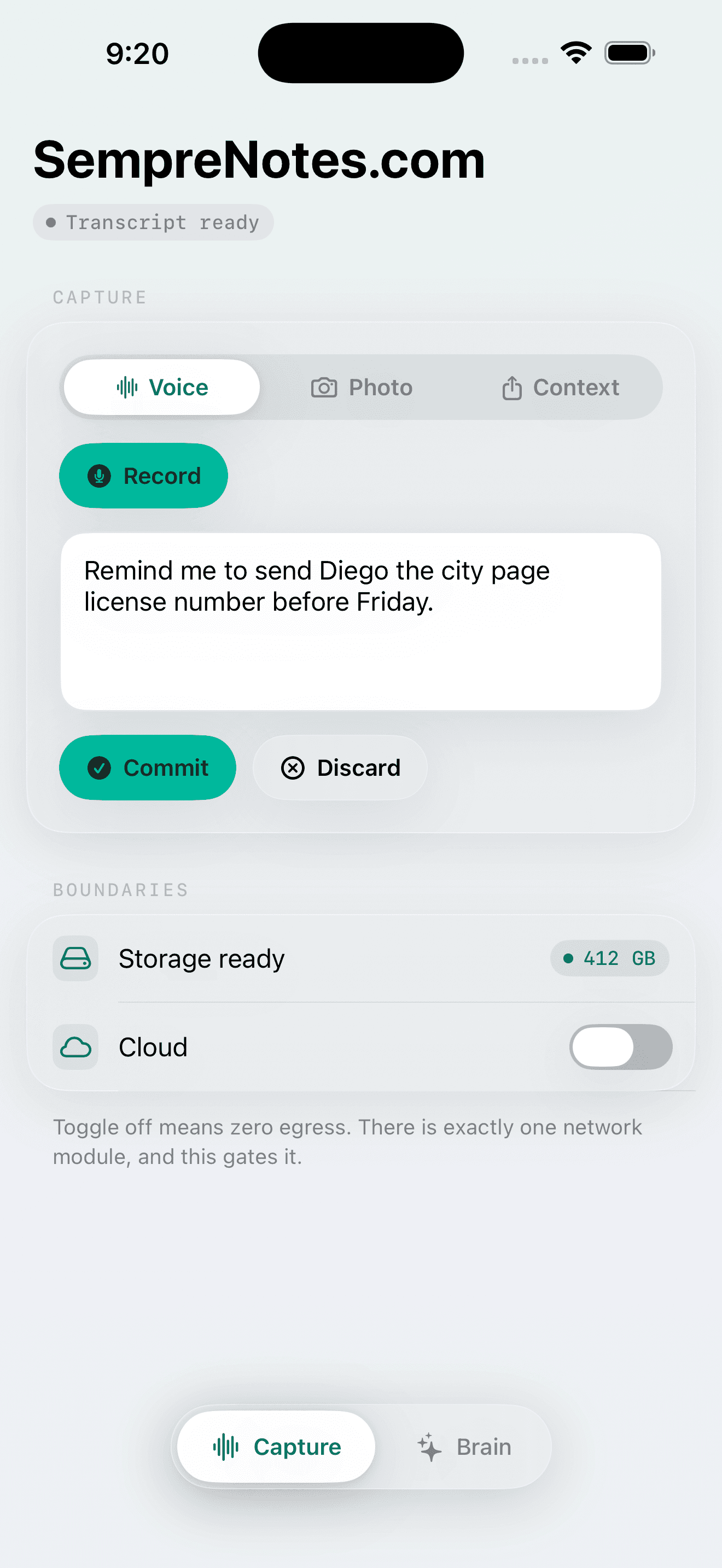
SempreNotes never reads your screen, microphone, or apps passively. Every memory begins with a deliberate act: a tap, a share, a shortcut.
03
You see what leaves
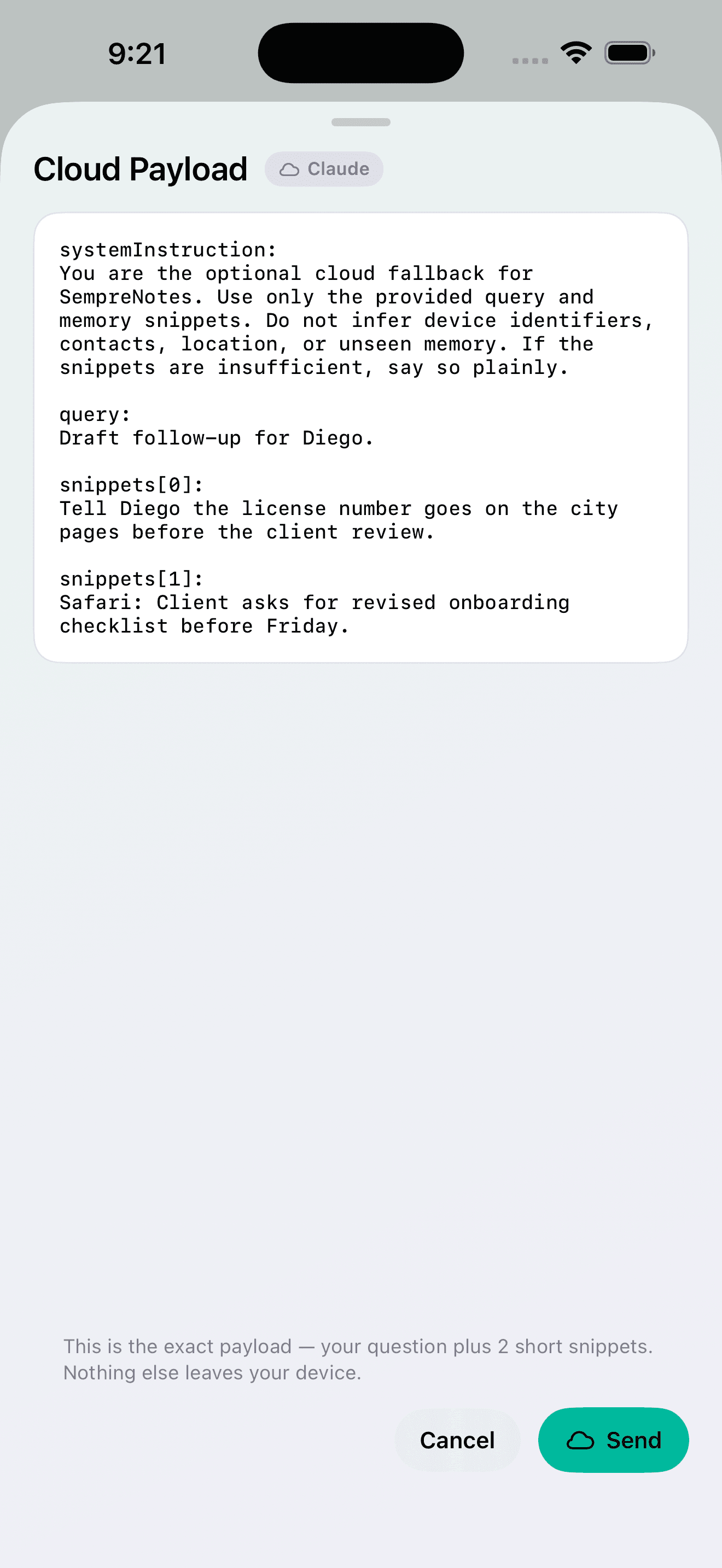
If you choose to ask the cloud, the exact payload — your question plus at most five short text snippets — is shown to you before it is sent.
04
Cloud answers are labeled
Anything produced off-device carries a visible label. You always know where an answer came from.
05
Memory is never silently evicted
Committed memories persist until you delete them. Low storage blocks new captures; it never erases old ones.
“Private by architecture,
not by promise.”
How it works
Capture. Remember. Recall.
01 — CAPTURE
Voice, photo, share, shortcut
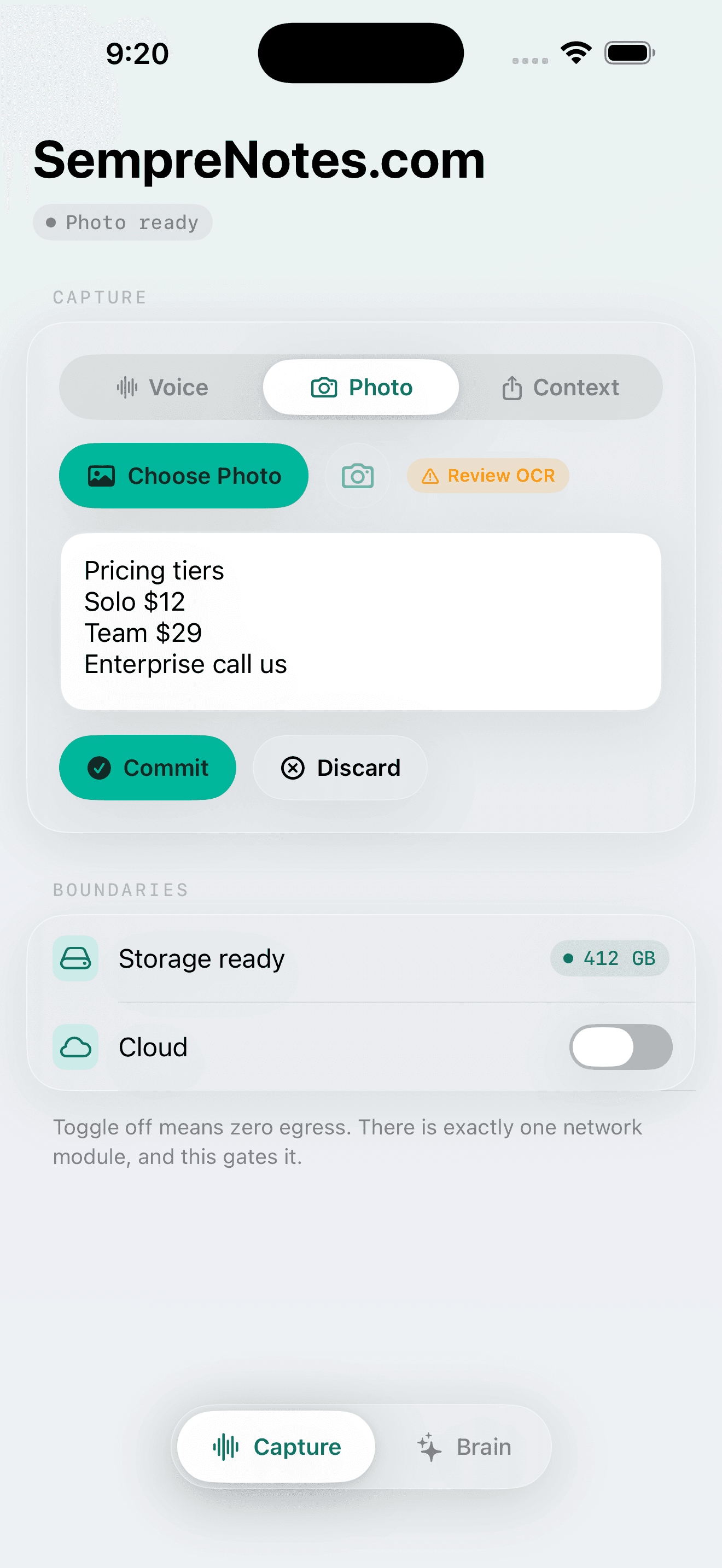
Dictate a thought, photograph a whiteboard, share a page from Safari. On-device Speech and Vision turn it into text you review before it commits.
02 — REMEMBER
A local brain that connects
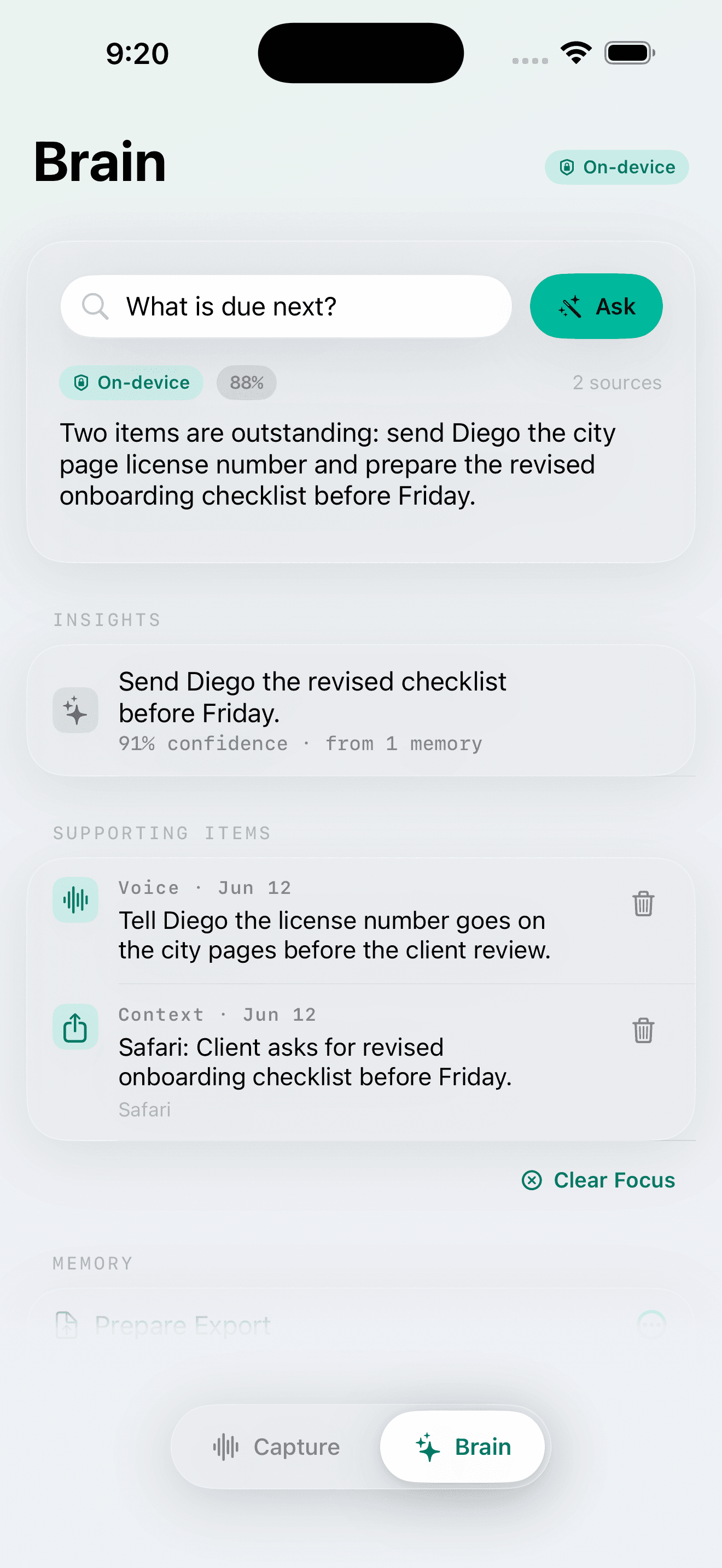
Every approved capture joins persistent local memory, indexed and linked to what it relates to. No upload happens to make this work.
03 — RECALL
Answers with receipts
Ask in plain language. SempreNotes answers from what you actually saved and cites the memories it used — or tells you it has nothing on record.
Competitive landscape
What note apps built. What they missed.
What exists today
What SempreNotes does
Meeting transcribers that only work in Zoom, Meet, and Teams
✦Captures your whole life by voice, photo, Share Sheet, and Shortcut
PKM tools that keep your notes on someone else's server
✦Local SwiftData memory, on-device retrieval, no account required
Passive recorders that ask for trust before showing control
✦Explicit capture only, with review and discard before anything saves
Notes filed away, inert until you go searching
✦Grounded answers and opt-in insights, sources always shown
Cloud AI subscriptions that read everything to be useful
✦Free local intelligence; optional cloud with your own key, five snippets max
Questions
Fair to ask
+Does SempreNotes need an account?
No. There is no sign-up, no login, and no SempreNotes backend. Install it and start capturing.
+What happens to my data if SempreNotes disappears?
Nothing — it is already on your device, and you can export the full store as JSON at any time. SempreNotes runs without any server of ours.
+Is the cloud feature required?
No. It is off by default and SempreNotes is fully functional without it. If you enable it, you bring your own Claude or Gemini API key and approve every payload.
+How is this different from Rewind or Limitless?
Those tools recorded continuously and asked you to trust them. SempreNotes captures only when you invoke it, runs its intelligence on-device, and has no company server that could be acquired or shut down between you and your memory.
More in the user guide and the full privacy policy.
Coming to the App Store
Be first when it ships
SempreNotes is finishing App Store review preparation. Join the waitlist and you’ll get the TestFlight invite first, then the launch.
Waitlist opens shortly.
Follow @semprenotes to be first in — or email support@semprenotes.com with the subject “waitlist”.